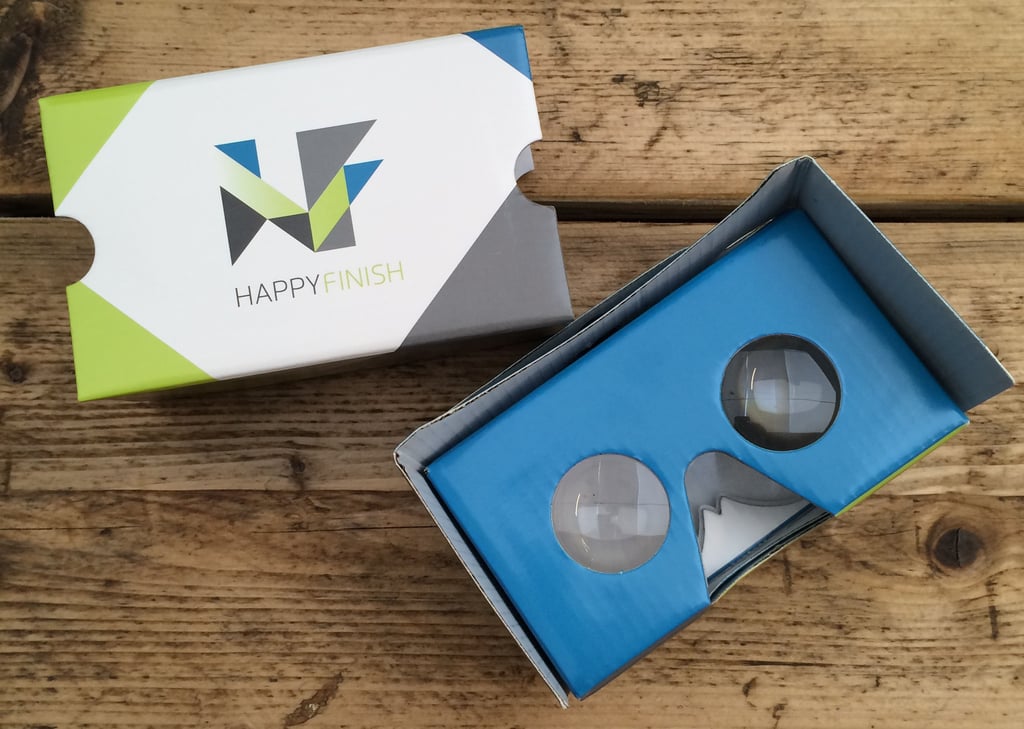
So you’ve heard all the hype about using Google Cardboards (GC) for watching virtual reality (VR) content, you’ve unwrapped your first one, but how do you use it? Where do you start?
Well it works with a mobile smartphone, so you will need one of those for sure, and fear not, they're not all plain brown, the branding options are endless.
These 5 tips will help you make the best out of yours in no time, and soon you’ll be bringing it to all your parties (real parties).
Tip 1: Knowing and preparing yours
As the name suggests, it's made of cardboard. This means that if you would like it to last as long as possible, it needs some love. It may be cheap in price compared to some VR headsets, and seem like a disposable item, but it plays a part in the future of media and should be treated with care, after all we want to continue with this awesome virtual future of entertainment.
Using it brings immersive experiences to everyone in a simple and affordable way. There are currently two official versions, we’re going to call them V1 and V2.
- The V1 was introduced in 2014 at Google I/O. It was initially targeted for Android devices, but was later introduced to the Apple iPhone. It supports devices up to 5.7 inches, comes flat packed and uses a magnet on the left hand side as an input button driven by the compass sensor on the phone.
- The V2 was introduced in 2015 at Google I/O. This version is slightly bigger, and supports devices up to 6 inches. It also comes pre-built, in a neat box. Simply pull it out of it’s sleeve and fold back the sides. The magnet has been replaced with a clever conductive lever that presses onto the phone screen to trigger a touch event.
But beware there are some sub standard versions produced by suppliers across world, ranging from poor lenses to ill fitting fixtures etc.
You launch your desired application on your mobile phone, slip the phone into the front, and watch through the lenses on the other side.
Tip 2: What apps to download
Even though it can double up as a wonderful semi-abstract piece to put in your lounge, it hasn’t got much use unless you have a mobile phone to use it with, and naturally this phone will need to have some compatible apps to work with it.
The first app to try out is the official GC app:
- Download it here from the Apple App Store for iPhone
- Download it here from the Google Play Store for Android
Once you’ve played around with these, and got to grips with the look and feel of it, we have a range of great VR content here at Happy Finish which are a great way to introduce you to the world of virtual reality.
You can start by taking a virtual flight on board a private jet, experience flight and try out Honeywell's latest on board technology. All in comfort of… well wherever you are (you could even use this in your own private jet, if you have one).
For the Honeywell - Virtual BGA experience try these:
- Download it here from the Apple App Store for iPhone
- Download it here from the Google Play Store for Android
Want to ride in a yellow taxi around New York? Watch the 360 film we created for Subway to launch their new Beef Pastrami Melt sandwich in London.
- You can watch it here on the Subway YouTube Channel or check out the case study and film.
Tip 3: Safety
Do not eat it without condiments! We're joking! It is best practise to use it while seated, especially if it’s your first time. Once you are familiar with the feeling and understand your environment (the real one around you that is) you can impress your audience by standing up, then moving around.
Tip 4: Upload your own content
Optonaut is a great (free) app for creating 360 images that you can view. Using this during a family occasion is a surefire way to blow the minds of your older relatives who probably still consider Viewmaster to be cutting edge tech.
VRideo is a great platform for sharing and uploading content as well. New 360 videos are uploaded daily, and you can easily search for genres that you find interesting. This app works both on Android and iPhone and offers the full stereoscopic experience at the touch of a button.
- Download here from the Google Play Store for Android
- Download here from the Apple App Store for iPhone
Tip 5: Share your new knowledge and stories
Virtual reality is still at its early stage, and to make it burst into the future of entertainment we all want and dream it should be, we need everyone's help. So sharing your knowledge on how it works is key, so that everyone can understand it and use it. Then in turn they will experience adventures of their own, and share their ideas and knowledge.
CONCLUSION: To conclude these tips, we use GC as a means to show our clients (and friends) on the go. It’s easy to build, to send to people, and even to bring in your bag (or large jacket pocket). The headset brings virtual reality content to the masses, and fast, so if you have some you’d like to show, having it at hand is a quick way to do so and will save all that precious time you would normally spend explaining what it is.
There are many things that can be accomplished with the GC, from simply looking at immersive experiences from around the world and going on virtual adventures, to recording your own 360 videos and sharing your experiences with your friends, family and clients.
Find out why Happy Finish are leading the industry with immersive experiences for Brands and Agencies by curating an immersive story around the audience/consumer, putting them at the heart of the brand campaign.